10 Snapchat Spotlight Script Templates Small Businesses Can Use to Turn Views Into Sales

  • 10 ready-to-film Snapchat Spotlight scripts for small businesses
  • Learn hooks, visuals, and calls to action that sell
  • Avoid common mistakes and build a weekly content system

Snapchat Spotlight can be a smart channel for small businesses that want short-form visibility without producing polished ads every day. Because the format rewards entertaining, useful, and authentic vertical video, local brands can use quick scripts to show personality, build trust, and move viewers toward a next step. If you want to reach a broader audience and create content faster, these 10 templates give you repeatable ideas you can film in minutes, and you can easily generate simple visuals to support each one.

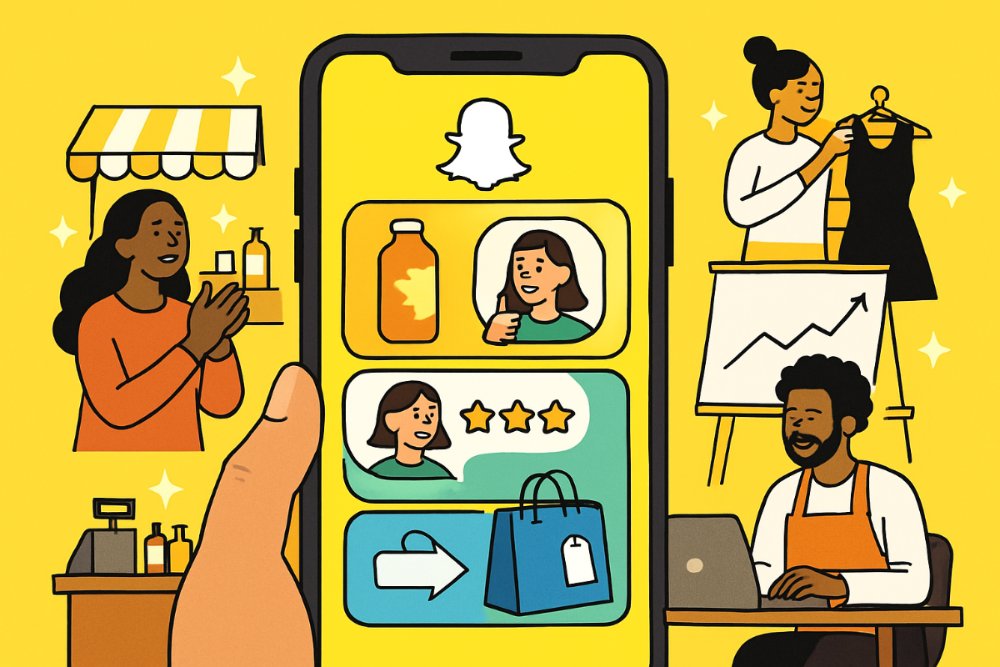
Hand holding smartphone showing Snapchat shopping and reviews, with small business owners around.

1. Why Snapchat Spotlight Can Work for Small Businesses

Spotlight is Snapchat’s feed for user-generated short videos, which means businesses are competing for attention with content, not just with traditional advertising. That can be good news for smaller brands. You do not need a big studio, a huge production budget, or a celebrity spokesperson to make something worth watching. You need a clear hook, a fast payoff, and a reason for the viewer to care.

For small businesses, the biggest advantage is format fit. Spotlight favors quick, vertical, mobile-first storytelling. That lines up well with how local shops, service businesses, creators, and ecommerce brands naturally show what they do. A bakery can capture frosting details. A salon can show a transformation. A repair business can reveal a before-and-after. A boutique can style one product three ways. These moments are naturally visual and easy to understand in seconds.

The real goal is not to post random clips. It is to create a repeatable content system. Script templates help with that because they remove the hardest part of short-form content: deciding what to say. Once your business has a reliable structure, filming gets faster, your message gets clearer, and your calls to action become more consistent.

1.1 What makes a Spotlight snap sell

The best sales-oriented Spotlight content rarely feels like a hard sell. It usually does three things well:

  • Hooks attention in the first one to two seconds
  • Shows one clear benefit or transformation
  • Ends with one simple next action

That next action might be following your account, visiting your store, sending a message, checking a product, or remembering your brand when they are ready to buy. Not every snap needs to close a sale immediately. Some snaps build awareness. Some build trust. Some drive urgency. Together, they create momentum.

1.2 A simple filming formula to reuse

Before you jump into the templates, use this easy structure for nearly every video:

  1. Start with a visual hook or bold statement
  2. Show the product, person, process, or result immediately
  3. Keep voiceover or on-screen text focused on one message
  4. Use captions so viewers can follow without sound
  5. End with one clear call to action

If you keep your videos between roughly 5 and 20 seconds, trim aggressively, and lead with the most interesting shot, you will give each snap a better chance of holding attention.

2. 10 Scripted Snapchat Spotlight Templates That Sell

The templates below are designed for local businesses, service brands, creators, and product-based companies. Each one includes a goal, a script you can customize, and a practical tip for making it perform better.

2.1 Template 1: The Welcome Snippet

Goal: Introduce your brand and make new viewers feel included.

Script: “Hey Snapchat, welcome to [Business Name]. We’re a [type of business] that helps [type of customer] get [specific result]. Follow along for [tips, offers, behind-the-scenes moments, new arrivals, transformations].”

Best visuals: Exterior sign, smiling team members, best-selling product, or a quick montage of what you offer.

Why it works: New viewers need context fast. This template tells people who you are, what you do, and why they should keep watching.

Pro tip: Replace vague claims like “the best service” with a specific promise such as “same-day bouquet delivery” or “custom cakes with 48-hour pickup.” Specificity improves trust.

2.2 Template 2: Behind-the-Scenes Glimpse

Goal: Build authenticity and humanize your business.

Script: “Most people only see the finished result, but here’s what goes into it. Today we’re [prepping orders, mixing ingredients, setting up an event, detailing a car, packing shipments]. This is how we make sure every customer gets [quality, freshness, speed, consistency].”

Best visuals: Prep tables, tools, packaging stations, ingredient close-ups, or the workspace before opening.

Why it works: People trust what they can see. Showing the work behind your product or service makes your business feel real and worth paying for.

Pro tip: Film short clips of hands in motion, close-ups, and quick process shots. Movement keeps retention stronger than static talking-head footage alone.

2.3 Template 3: Product Showcase

Goal: Highlight one offer and explain why it matters.

Script: “If you’ve been looking for [problem solved], this is for you. Meet our [product name]. It’s designed to [main benefit], and customers love it because [second benefit]. Here’s a closer look.”

Best visuals: Product in use, texture details, packaging, color options, side-by-side comparisons.

Why it works: A focused product video performs better than trying to sell everything at once. One product, one problem, one solution is easier to understand and remember.

Pro tip: Avoid listing too many features. Pick the top one or two benefits your ideal buyer cares about most.

2.4 Template 4: Customer Testimonial

Goal: Use social proof to reduce hesitation.

Script: “We love hearing feedback like this. [Customer name or first name only] came to us because they needed [problem]. After using [product or service], here’s what they said: ‘[short quote].’”

Best visuals: Customer clip, screenshot of review, before-and-after result, product being used.

Why it works: Customer language is often more persuasive than brand language. It helps viewers picture their own outcome.

Pro tip: Keep testimonials short. The best clips emphasize a clear result such as saving time, feeling confident, fixing a problem, or getting compliments.

2.5 Template 5: Join Our Social Community

Goal: Increase repeat touchpoints with your audience.

Script: “If you like quick tips, sneak peeks, and special drops, you’ll want to stick with us. We share [type of content] every week, plus exclusive updates for our community. Follow for the next one.”

Best visuals: Fast montage of content categories like tutorials, launches, staff moments, and customer features.

Why it works: Many viewers will not buy on first contact. Inviting them into your content ecosystem gives your brand more chances to earn attention over time.

Pro tip: Tell viewers exactly what kind of content they will get. “Follow us for more” is weaker than “Follow for daily styling ideas under $50.”

2.6 Template 6: DIY Tip or Quick Hack

Goal: Deliver value first and build authority.

Script: “Quick tip if you’re dealing with [common problem]. Try this: [step one], then [step two], then [step three]. It only takes [time], and it can help you [result].”

Best visuals: Demonstration steps, on-screen labels, close-up results.

Why it works: Helpful content earns saves, shares, and repeat viewing. Even if someone is not ready to buy now, useful content makes your brand easier to trust later.

Pro tip: Choose advice that is genuinely actionable. If the tip is too generic, viewers will scroll. If it solves a real problem quickly, they are more likely to remember you.

2.7 Template 7: Exclusive Offer Announcement

Goal: Create urgency and convert interested viewers.

Script: “Quick heads-up: for a limited time, we’re offering [discount, bonus, bundle, free add-on] on [product or service]. Use [promo code] before [deadline] to claim it.”

Best visuals: Product hero shot, countdown text, staff pointing to the offer, packaging ready to go.

Why it works: Urgency can help viewers act instead of waiting. The key is to keep the offer simple and believable.

Pro tip: Pair urgency with clarity. State exactly what the viewer gets, who it is for, and when it ends. Confusing offers lose momentum fast.

2.8 Template 8: Event Highlight Reel

Goal: Turn past activity into future interest.

Script: “If you missed our [event name], here’s a quick recap. We had [highlight one], [highlight two], and [highlight three]. If you want to catch the next one, keep an eye on our upcoming updates.”

Best visuals: Crowd moments, setup shots, product tables, smiling guests, demonstrations.

Why it works: Event content signals momentum. It shows your business has energy, community, and demand.

Pro tip: Focus on emotion and atmosphere. People respond to visible excitement more than wide shots with no focal point.

2.9 Template 9: Team Introduction

Goal: Personalize the brand and strengthen trust.

Script: “Meet the team behind [Business Name]. This is [name], our [role]. They’re the person who [specific job customers benefit from]. Around here, they’re known for [fun fact or strength].”

Best visuals: Staff at work, smiling portraits, quick personality clips, favorite tools or products.

Why it works: People buy from people. Team videos make a business feel approachable, especially for local service brands where trust matters before a first visit.

Pro tip: Keep it natural. A little personality is better than a stiff scripted read. Let team members talk in their own voice when possible.

2.10 Template 10: Call-to-Action End Snippet

Goal: Give every snap a useful ending.

Script: “Thanks for watching. If you want more [tips, product reveals, deals, transformations], follow us here. And if you’re ready for [offer], send us a message or visit [store name or location cue].”

Best visuals: Brand colors, storefront, smiling wave, product close-up, simple text overlay.

Why it works: Viewers often need direction. A concise close tells them what to do next without making the video feel pushy.

Pro tip: Use one primary action only. If you ask viewers to follow, message, visit, and shop all at once, many will do nothing.

3. How to Adapt These Templates for Different Business Types

These scripts become more effective when they sound like your business, not like a generic marketing post. Here are a few ways to customize them by industry.

3.1 For local retail shops

  • Feature new arrivals, gift guides, and styling ideas
  • Use staff picks to make products feel curated
  • Film in-store moments that show atmosphere and personality

A boutique, bookstore, florist, or pet shop can make simple inventory feel engaging by showing how products fit real life.

3.2 For service businesses

  • Lean into before-and-after results
  • Show process to build credibility
  • Use testimonials to lower perceived risk

Salons, med spas, cleaning companies, trainers, photographers, and home service brands can all benefit from showing proof, not just promises.

3.3 For food and beverage brands

  • Open with irresistible visual hooks
  • Show prep, pouring, sizzling, or finishing touches
  • Promote limited-time offers and seasonal items often

Food content performs best when it triggers appetite quickly. Lead with your strongest visual instead of long introductions.

4. Common Mistakes That Hurt Spotlight Performance

Even strong ideas can underperform if execution gets in the way. Watch for these common issues.

4.1 Starting too slowly

If your first seconds are a logo screen, a long greeting, or dead air, many viewers will move on. Start with the best shot or the strongest line first.

4.2 Saying too much

Short-form content needs one message per video. If you try to explain every benefit, every product, and every promotion in one snap, the result feels cluttered.

4.3 Forgetting captions and on-screen text

Many people watch mobile video without sound at least some of the time. Clear text overlays improve comprehension and retention.

4.4 Making every post a sales pitch

Constant promotion can wear people out. A better mix is educational, entertaining, trust-building, and promotional content together.

4.5 Not tracking what gets watched

Patterns matter. Notice which videos get stronger completion, replies, follows, or traffic. Then make variations of what already works.

5. A Simple Weekly Spotlight Content Plan

If you want consistency without burnout, use a repeatable weekly rhythm. Here is one example:

  1. Monday: Welcome or brand story clip
  2. Tuesday: Behind-the-scenes process
  3. Wednesday: Product or service feature
  4. Thursday: DIY tip or quick advice
  5. Friday: Testimonial or transformation
  6. Saturday: Offer or event highlight
  7. Sunday: Team introduction or community post

This structure gives your audience variety while keeping production manageable. You can batch film several clips in one session, then edit and post through the week.

6. Final Takeaway

Small businesses do not need to reinvent short-form video every time they post. What they need is a practical system that makes content easier to create and more likely to connect. These 10 Snapchat Spotlight templates give you exactly that: a repeatable set of scripts you can tailor to your products, your customers, and your brand voice.

Start simple. Pick two or three templates that match your business best, film them with a clear hook, keep each message focused, and end with one direct call to action. Over time, the winners will become obvious. When they do, turn them into a recurring series. That is how small brands build momentum on short-form platforms: not with one perfect video, but with consistent, audience-aware content that earns attention and trust.


Citations

Jay Bats

Welcome to the blog! Read more posts to get inspiration about designs and marketing.

Sign up now to claim our free Canva bundles! to get started with amazing social media content!